


Bookshelf
4.24.13K Reviews
App Specs
- Version
- 11.4.2
- Updated On
- License
- Free
- Downloads
- 1,000,000+
- Developer
- Vital Source Technologies
- Categories
- Education
- Platform
- Android, iOS
Screenshots

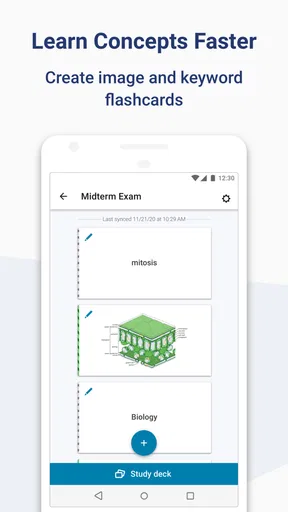
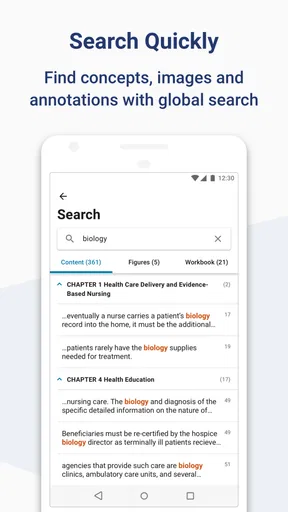
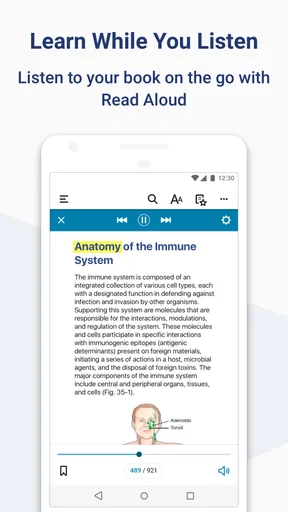
 Analysis by AppCompare
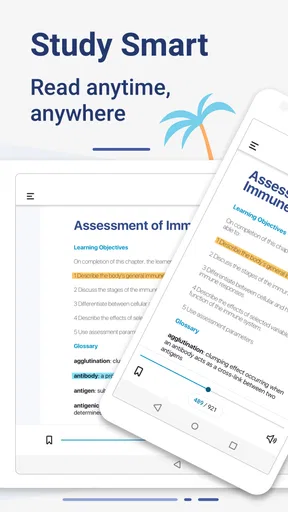
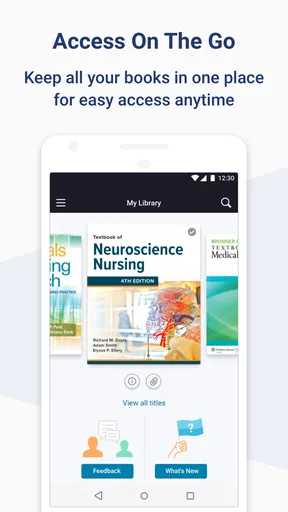
When I’m studying away from my desk, the hardest part is often keeping my course reading useful rather than simply accessible. Bookshelf is an education app from Vital Source Technologies built around digital textbooks, and its strongest appeal is having study material ready to read on a phone or tablet. That can make a practical difference between using a spare ten minutes to review a chapter and leaving the book unopened until I get home.
I see it as a focused companion for assigned reading, not a replacement for every way of learning. It is free, rated for Everyone, and has a 4.3 average from around 18,000 ratings, with over 1 million installs. Those figures suggest that plenty of learners use it, but the important question is whether its reading-centered approach fits the way you study.
Why carrying a digital textbook can help
A phone is already something many students take to class, work, and the library. Having a course book there too can make it easier to revisit a definition before a lecture, check a passage while working on an assignment, or read a few pages during a commute. I find that this convenience is most valuable when the alternative is not a paper book but no reading at all.
The trade-off is that a screen changes the feel of a long study session. A digital page is handy for quick reference, but I may still prefer paper when I want to read for hours without distractions or screen fatigue. Bookshelf makes more sense as a way to keep course material within reach than as a promise that every student will enjoy studying on a phone.
Making it part of a study routine
For a realistic day, imagine checking a chapter before class, putting the phone away during the lecture, then reopening the same material later to confirm a detail while writing notes. The key is to treat the app as a place to return to the assigned text, rather than assuming that having a book on a device automatically creates a study plan. I’d choose a short, specific reading goal before opening it: one section, a few pages, or a particular concept to revisit.
That small habit also helps when you have several subjects competing for attention. I’d keep the book relevant to the next class close at hand and use brief gaps for targeted reading, while saving more demanding work for a quieter setting. If you mainly want a broad library of leisure fiction, a general ebook reader is likely a better fit; Bookshelf’s educational focus is the reason to consider it in the first place.
Where the convenience has limits
Reading on a mobile device can invite interruptions, and a compact screen is not ideal for every textbook page. Diagrams, dense tables, and long passages may be easier to study on a larger display or in print. I would not rely on a phone alone for every kind of coursework: use it for access and review, then move to a more comfortable format when the material needs sustained attention.
Worth Reading Before You Choose

EA SPORTS FC Mobile 26 Is a Bigger Football Game, but It Takes Time

Flipboard Shows What News Apps Must Do Beyond the Feed

Switching to Android Auto Means Rethinking Your Driving Routine

Google Calendar Makes a Crowded Week Easier to Manage

Ludo King Makes the Most of the Minutes Between Plans

Baby Panda World Brings Quick Play to Modern Phones, but Its Game Library Feels Busy
It is also worth separating the app from the books you need for class. A reading app is useful only when the relevant title is available to you through it. Before building a semester routine around any digital textbook platform, check that your required materials are accessible in your account and that the way they are presented suits your course. This simple check can prevent an awkward first-week surprise.
Discovering the World of Bookshelf
First things first, when you open up Bookshelf, you're greeted with a sleek and intuitive interface. It's like walking into a well-organized bookstore. You can easily browse through categories, genres, and even curated collections. The app's design is user-friendly, making it accessible whether you're a tech wizard or someone who's more comfortable with paperbacks.
What truly sets Bookshelf apart is the sheer variety of books available. From bestselling authors to hidden gems, there's something for everyone. Whether you're into thrilling mysteries, romantic sagas, or educational texts, you’ll find your next read without breaking a sweat. It’s like having a world-class bookstore right in your pocket!
Features That Enhance Your Reading Experience
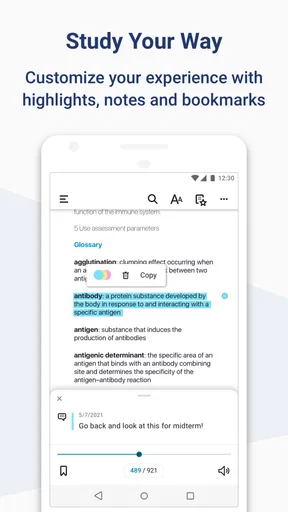
One of the standout features of Bookshelf is its personalized recommendations. The app learns from your reading habits and suggests books you're likely to enjoy. It's like having your very own literary assistant. Plus, you can customize your reading experience with options like font size, background color, and even a night mode for late-night reading sessions.
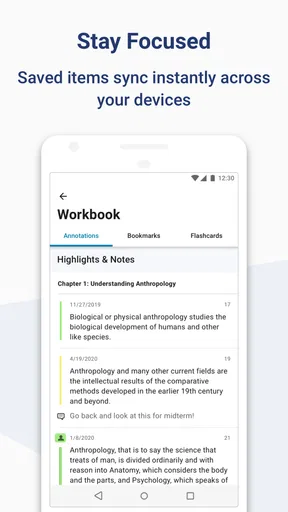
Another cool feature is the syncing capability. You can start reading on your phone, switch to your tablet, and not lose your place. It's seamless and perfect for those who read on the go. Plus, the offline reading feature means you can access your favorite titles even without an internet connection. Perfect for those long flights or remote getaways!
Community and Connectivity
Reading is often a solitary activity, but Bookshelf brings a social aspect to it. You can connect with friends, share book recommendations, and even join virtual book clubs. It's a community of readers who share your passion, offering insights and discussions that enhance your experience. You can leave reviews, rate books, and see what others are saying. It’s like Goodreads but with a more personal touch.
Not to mention, there are periodic author events and Q&A sessions where you can interact with writers directly. It's a unique opportunity to dive deeper into the books you love and discover the stories behind them.
Ending Thoughts
In a world that's increasingly digital, Bookshelf offers a refreshing way to keep the magic of reading alive. It's convenient, comprehensive, and connects you with a community of like-minded readers. Whether you're a casual reader or a literary aficionado, this app has something to offer.
So, if you haven't already, give Bookshelf a try. It's more than just an app; it's a gateway to endless adventures, insights, and stories waiting to be discovered. Happy reading!
Using digital reading alongside class notes
A useful way to get more from a textbook app is to decide what you need from a reading session before you start. If a lecture is coming up, I might read only the assigned section and jot down a question to bring to class. If I am preparing an essay, I would use the digital book to locate and revisit relevant passages, then keep my argument and draft in my usual notes or writing app. Separating reading from note-taking can make the session feel more deliberate and helps avoid assuming that the book itself will organize the work for me.
For dense subjects, I would also pace the reading rather than trying to finish a long chapter on a small screen in one sitting. A short session on the phone can work well for refreshing terminology or checking a concept, while a tablet, laptop, or printed copy may be more comfortable for comparing several pages or following complex material. The best setup depends on the subject, not just on personal preference.
Choosing between a study reader and other options
Compared with a general ebook reader, an education-focused app is most useful when the title is part of a course and you want your reading routine centered on study material. A printed textbook remains appealing if you like writing in margins, spreading pages out, or looking at diagrams without zooming. A web-based reader may be more convenient when you are already working at a computer, whereas a phone offers quick access when you are away from your desk. I would choose according to the task rather than expecting one format to be best in every situation.
Bookshelf is not automatically the right choice for someone who wants a broad entertainment library, a social network as the main event, or a complete note-taking and assignment-planning system. Its value is clearest when it gives you a convenient way to read material you already need. If your priority is long-form leisure reading, compare it with dedicated reading apps; if your course depends on print annotations or large, detailed page layouts, keep a paper or larger-screen option in your routine.
Small checks that make the first week easier
Before relying on a digital textbook for an important class, I would confirm that the exact title is available in the account I plan to use and open it before I need it in a lecture or on a trip. That is a more useful preparation step than assuming that every book can be found simply because the app is installed. I would also try reading a few pages on the device I expect to use most, since a layout that feels comfortable on a tablet may be cramped on a phone.
If you plan to study somewhere with unreliable connectivity, test your reading setup in advance rather than discovering a problem when you are already away from a connection. And if you switch between devices, check that the routine works for you before making it part of a deadline-heavy week. These are modest steps, but they help distinguish a dependable study habit from a last-minute workaround.
Who is likely to get the most from it?
I would recommend considering Bookshelf if you are a student who needs to consult digital course reading in short stretches throughout the day, or if carrying several physical books is inconvenient. It can also suit a reader who prefers adjusting text presentation and wants a portable way to return to assigned material. The current version is 11.3.1, and the app has been available since March 29, 2012; those details make it an established option, though the fit of the particular titles you need matters more than its age.
On the other hand, I would steer away from making it your only study tool if you depend on handwritten annotations, need a wide view of complex diagrams, or find phone reading distracting. A student who studies mainly at a desk may be happier with a larger screen or print, while someone seeking fiction recommendations and casual reading may prefer a general-purpose ebook service. The useful question is not whether digital books are universally better, but whether portable access solves a real problem in your own routine.
A measured recommendation
With around 4,100 reviews alongside its broader rating history, Bookshelf has a sizeable audience, but a high level of adoption does not remove the practical trade-offs of screen-based study. I would treat it as a convenient route to course reading, test it with the books and devices I actually use, and keep another format available for sessions that call for close comparison or extended concentration.
That is the balance I would recommend to a friend: use the app to make required reading easier to reach, not as a substitute for planning, note-making, or choosing a comfortable study environment. If your main need is quick access to educational texts, it is worth exploring. If your needs center on print-style annotation or a broad leisure catalog, another reading setup may serve you better.
Pros
- User-friendly interface for easy navigation.
- Extensive library with diverse genres.
- Offline reading mode available.
- Syncs across multiple devices.
- Customizable reading settings.
Cons
- Limited free book options.
- Occasional app crashes reported.
- Ads in free version can be intrusive.
- In-app purchases can be pricey.
- No audiobook support.
FAQs for Bookshelf
What features does Bookshelf offer for organizing books?
Bookshelf provides a user-friendly interface for cataloging and organizing your book collection. You can sort books by title, author, genre, or personal tags. The app also includes a search function for easy location of specific titles and the ability to create custom shelves or categories for personalized organization.
Is Bookshelf compatible with both physical and digital books?
Yes, Bookshelf is designed to manage both physical and digital book collections. You can manually enter details of physical books or import digital ones. The app supports various formats, allowing you to keep track of your entire library in one convenient location, regardless of format.
Does Bookshelf allow for book sharing or recommendations?
Bookshelf includes a social feature that lets you share book recommendations with friends or the app’s community. You can write reviews, rate books, and see what others are reading. This feature makes it easy to discover new titles and share your reading experiences with others.
How does Bookshelf handle synchronization across devices?
Bookshelf offers seamless synchronization across devices. By creating an account, you can access your library from any device, ensuring your collection is always up-to-date. This feature is particularly useful if you use multiple devices or want to manage your library on the go.
What are the in-app purchase options available in Bookshelf?
While Bookshelf is free to download, it offers in-app purchases for additional features. These may include premium themes, extended backup options, or advanced organizational tools. The app provides a basic free version, but these purchases can enhance functionality for more dedicated users.


